Real-Time Cost Collection for Custom Equipment Profit with ERP
A new equipment maker could not track finished-goods costs in real time on Excel. A four-step ERP workflow now makes cost and profit instantly visible.
Company Profile / Background
For a newly established equipment manufacturer, or any business still running its books on hand-built Excel spreadsheets, gaining a clear, real-time view of how much each finished product actually costs is genuinely difficult. Orders are custom and non-standard, components are purchased case by case, and assembly happens on the shop floor. Without a connected system, the people who run the business are left guessing whether a given shipment will turn a positive return on the materials, labor, and overhead poured into it. This gap is especially painful for made-to-order work, where every job is a fresh combination of parts and labor rather than a repeat of the last. The owner needs answers while the order is live, not a post-mortem weeks after the customer has paid.
Core Challenges
Spreadsheets Cannot Keep Pace with Custom Orders
Manual Excel tracking breaks down the moment a business moves beyond a handful of identical products. Two structural weaknesses show up again and again. First, data is entered by hand: every purchase, every component issue, and every assembly event is typed into a cell, and typos or transposed figures flow straight into the cost numbers. Second, the workbook is a snapshot, not a live feed. Updating it is slow, the figures are rarely linked to what actually happened on the floor, and by the time a manager reviews the file the numbers are already stale.
Profit Stays Hidden Until It Is Too Late
Most damaging of all, the business cannot see finished-goods profit in real time. Management wants, at any moment, to confirm that the input-to-output ratio stays positive, yet the traditional approach only answers that question weeks later, after the order has shipped and the money is already committed. That blind spot makes pricing, discounting, and capacity decisions feel like guesses.
How the System Solved It
The platform replaces the fragmented spreadsheet workflow with a connected, four-step process. Each step feeds the next, so cost data is collected automatically as work happens rather than reconstructed afterward.
Why Capture Cost at the Point of Activity
When cost is gathered only at month-end, it is really an estimate built from memory and scraps of paper. Capturing it at the point of activity, purchase, issue, and assembly, means the number is a record, not a reconstruction. That shift is what lets the margin report be trusted on the day the product is finished.
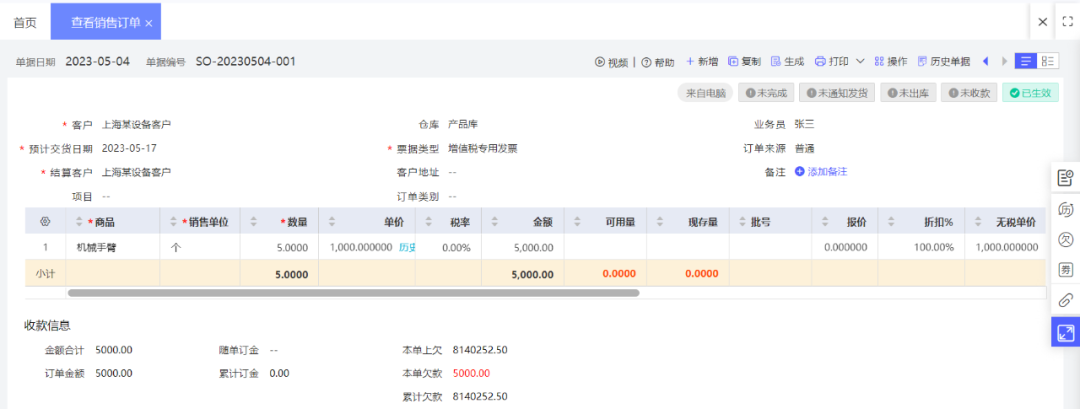
Step 1: Capture the Non-Standard Sales Order
The moment a customer order for a customized piece of equipment arrives, it is entered as a sales order in the system. From that single record the entire downstream flow, purchasing, production, and costing, is driven.
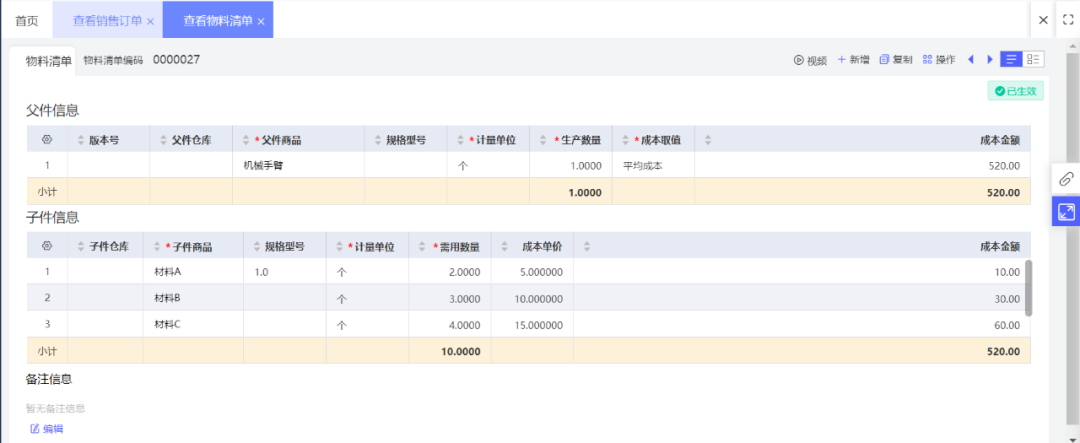
Step 2: Design the Product BOM
Engineers build a bill of materials (BOM) for the finished product, defining exactly which components and in what quantities make up the equipment. The BOM becomes the single source of truth for both purchasing and costing.
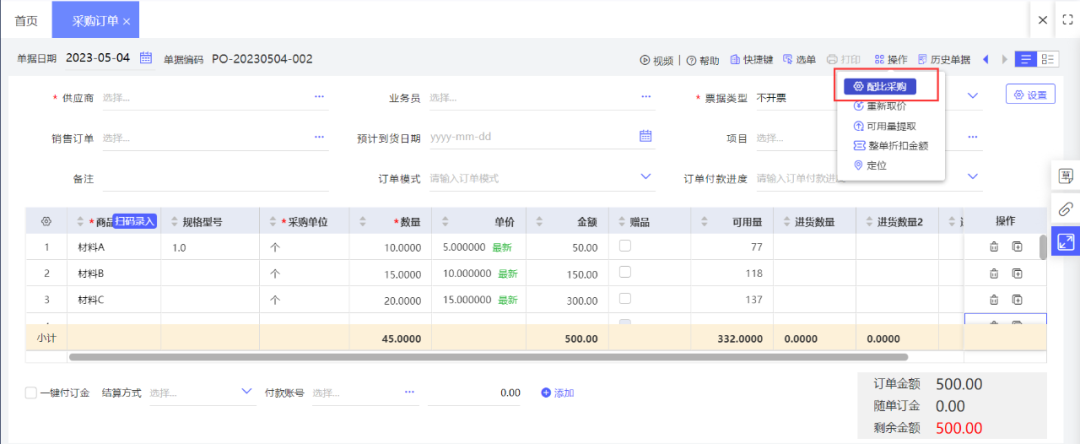
Step 3: Purchase Components Against the BOM
With the BOM in place, the system generates purchasing requirements that match the finished-goods plan. Buyers order to the BOM ratio, so the right materials arrive in the right amounts and speculative stock is avoided.
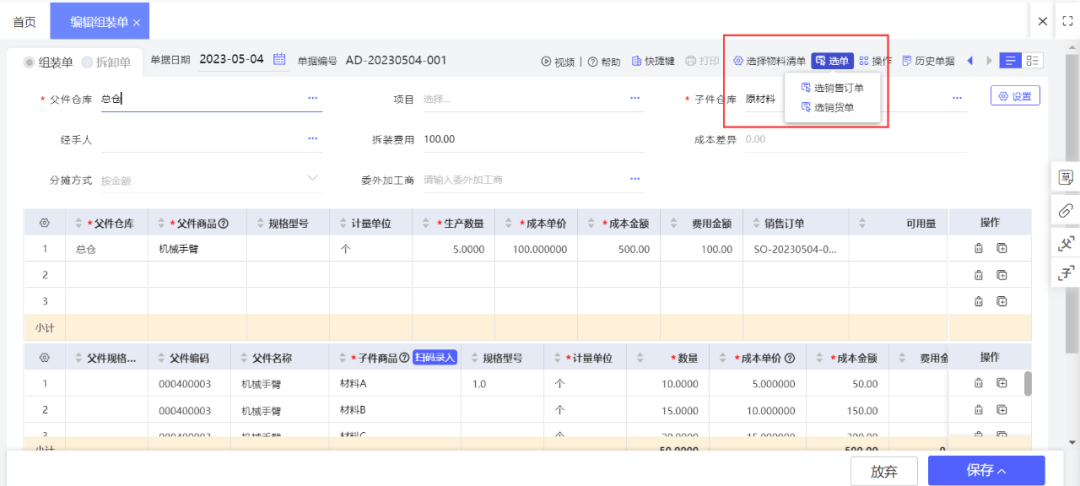
Step 4: Assemble and Collect Costs in Real Time
As the product is assembled against the BOM, material costs are gathered and attributed to the finished good automatically. Assembly overhead and other process expenses can be allocated to the same product, so nothing slips through.
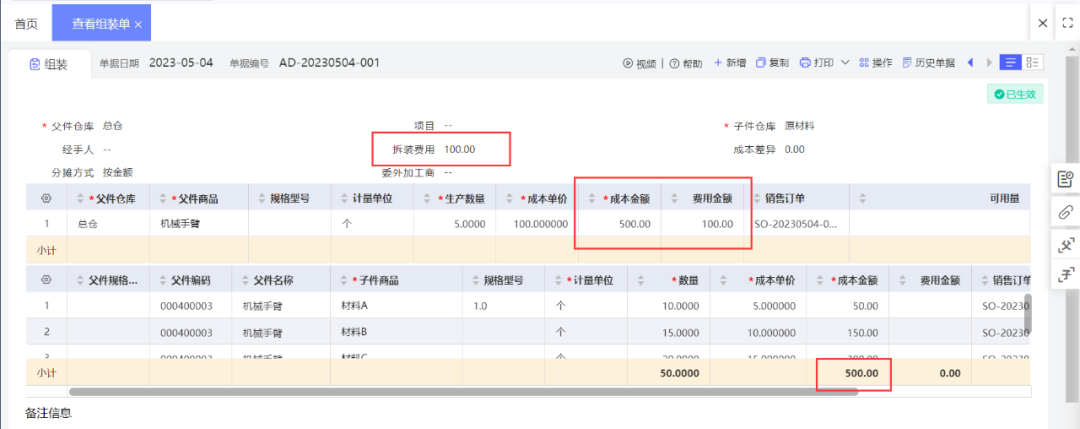
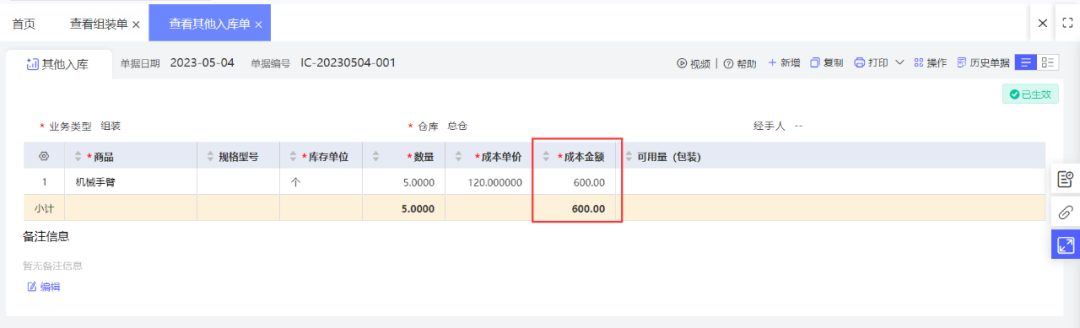
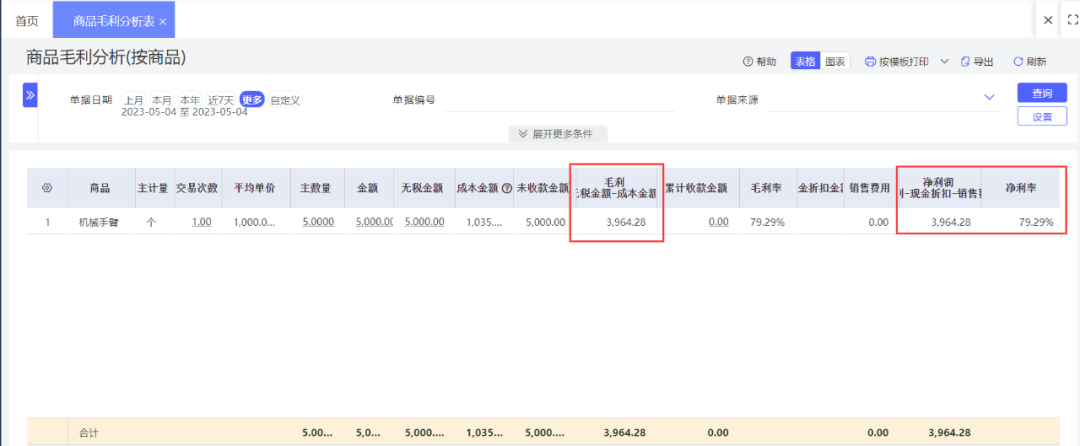
See Profit on the Gross Margin Analysis
Managers open the sales gross-margin analysis report to view finished-goods profit at any time. Because costs have been collected continuously, the margin reflects reality rather than an estimate.

Measurable Results
Cost Collection That Keeps Up with Production
Where manual entry introduced errors and constant rework, the four-step workflow records cost at the point of activity. Data flows once, in one system, and the risk of transcription mistakes drops sharply.
Profit Visible at the Order Level
Instead of waiting until month-end, the owner can check the margin on any order the moment it is built. That real-time visibility supports confident pricing and protects the positive input-to-output ratio the business depends on.
Conclusion
Moving off standalone Excel into a connected ERP workflow did more than tidy up the paperwork. It gave a young equipment maker the ability to collect finished-goods cost in real time and watch profit form order by order. For custom manufacturers, that visibility is the difference between pricing by instinct and pricing by fact.
Related reading
Solving Apparel Wholesale Pain Points with Online Selection and Smart Warehousing
An apparel wholesaler cut order-entry time, reduced churn, and tamed multi-warehouse picking with a cloud ERP. Online selection and attribute cataloging streamlined the flow.
Read guide →Customer Case StudyAustralia Frozen Meat Processor: Accurate Costing for Whole-Chicken Cutting
How a Melbourne frozen-meat processor used ERP barcode, BOM disassembly and batch control to cut receiving time and cost every chicken part precisely.
Read guide →Customer Case StudyHow a Beijing IC Company Achieved Finance–Operations Integration for Precision Management
A Beijing integrated-circuit maker unified purchasing, outsourcing, kit sales, and accounting in one ERP, automating cost allocation and cutting month-end close effort.
Read guide →