Uzbekistan Window Maker Runs Cross Border Finance on One ERP
A new Uzbekistan window and door maker lacked accountants and faced split finance. An ERP suite with multi-currency, auto vouchers, and a multilingual UI built a lean function.
Company Profile / Background
This case study covers an Uzbekistan window-and-door maker that customizes aluminum and PVC windows and doors and trades the related profiles and parts. It started as a trading company and is moving toward buying raw materials and assembling them into finished goods. The local accounting hire knows tax and banking but cannot prepare vouchers, so the firm needed automation to reduce reliance on specialized finance staff. With only a locally hired accountant who filed but could not book, the system had to do the accountant's harder job.
As a young cross-border company, it had to keep finance lean yet compliant across currencies and languages. The legacy split between operations and finance was the core blocker.
Core Challenges
Thin Staff and Limited Accounting Skill
Being newly founded and short-staffed, the firm's locally hired Uzbek accountant knew local tax and banking but could not make accounting vouchers, handling only filing and bank liaison. The company urgently needed system automation to cut dependence on specialized finance talent and lower labor cost.
Split Operations and Finance Hurt Efficiency
Purchasing, sales, and inventory were detached from financial accounting with no effective link. Business documents had to be converted to vouchers by hand, a heavy, error-prone task that left finance lagging reality and slowed management decisions.
Customer Aging Was Hard to Track
Serving many custom-window clients made receivables complex. Without systematic aging, finance tallied each customer's aging by hand, a huge, error-prone job that left overdue risk unseen and hurt collection and control.
How the System Solved It
The deployment spanned six areas: auto vouchers, receivables, profit analysis, assets, payroll, and multilingual support. Each is described below.
Smart Voucher Center Automated Finance
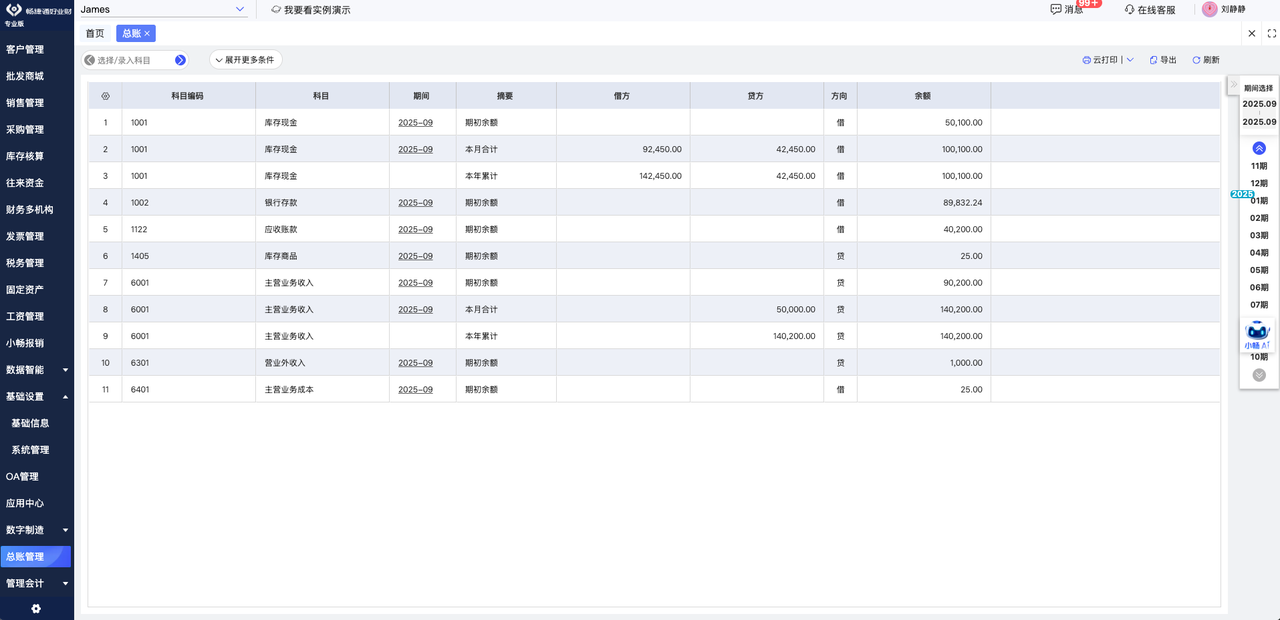
The smart voucher center turned purchase inbound, sales outbound, and receipt-payment documents into vouchers automatically after approval, with no dedicated voucher maker needed. Multi-currency accounting covered US dollar, RMB, and Uzbek currency, handling rate changes and foreign-currency vouchers automatically. No one needed to hand-build a voucher from a delivery note.
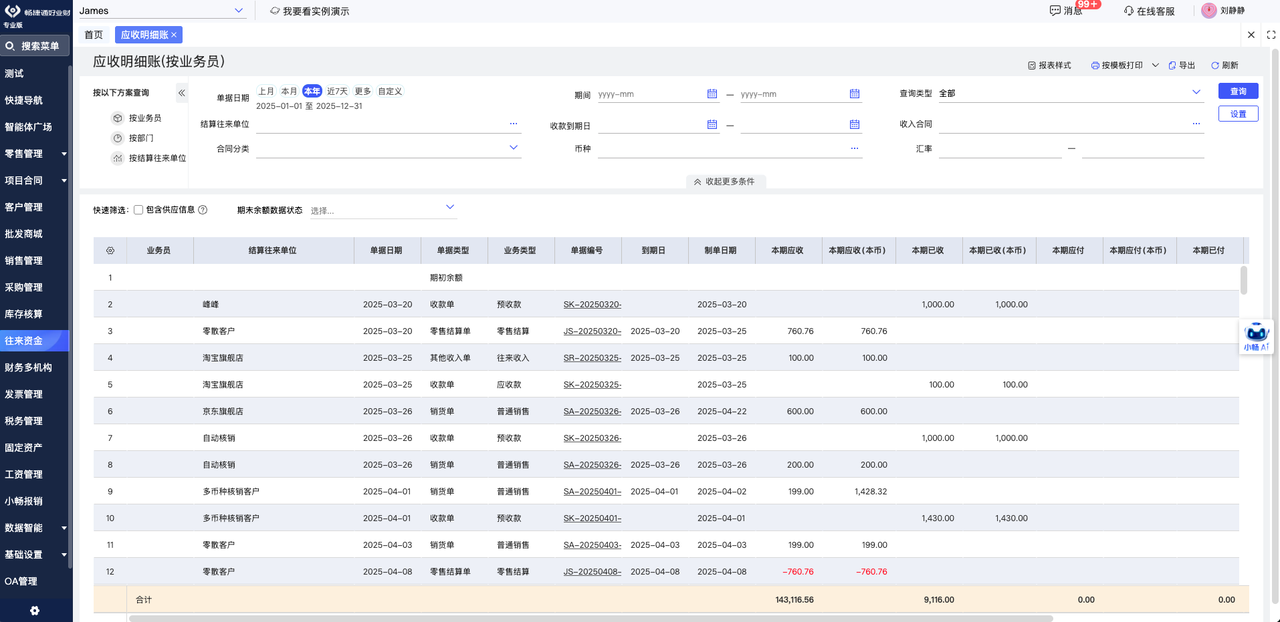
Receivable Detail Clarified Customer Balances
Receivable detail linked sales and receipt documents to build a live receivable ledger where every item traced clearly. Multi-dimensional filters by customer, department, salesperson, or contract located specific balances fast. Smart settlement distinguished goods receivable, other receivable, and advance, marking status to avoid double collection or missed offsets. Customer balances stopped hiding inside scattered notebooks.
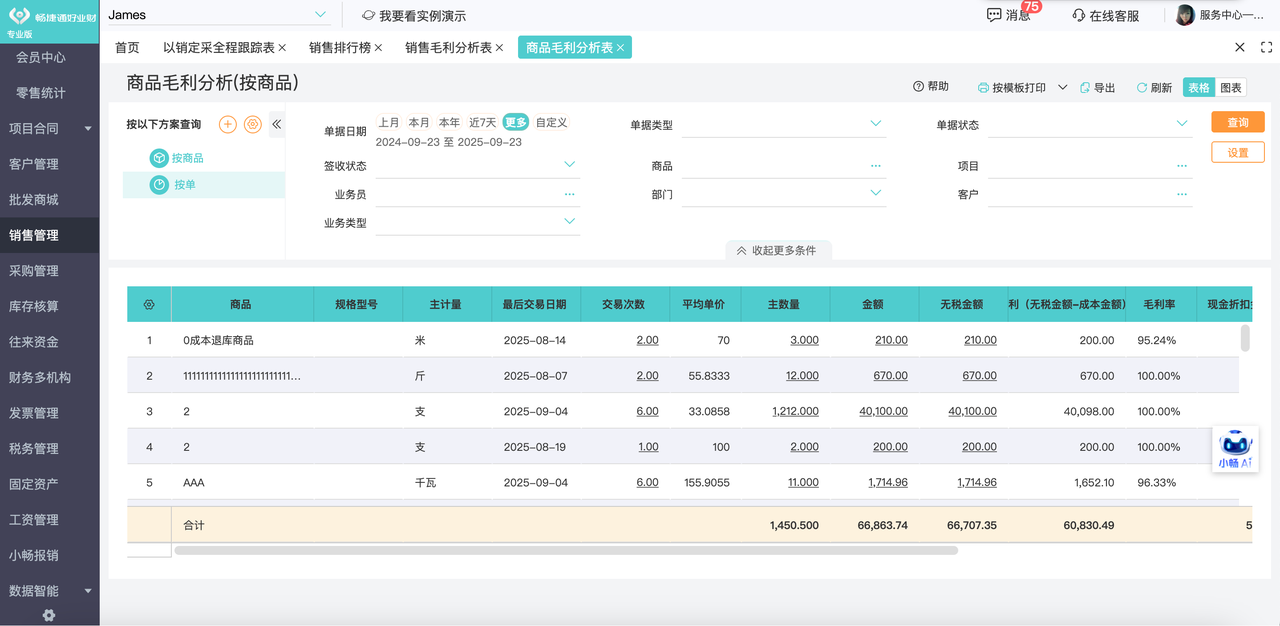
Gross Profit Analysis Made Margin Clear
A smart engine linked sales and cost to report gross and net profit by customer, order, or item in real time, ending manual margin matching. Expense forms allocated costs to purchase inbound by amount or quantity for accurate costing. Margin by order showed which jobs truly paid.
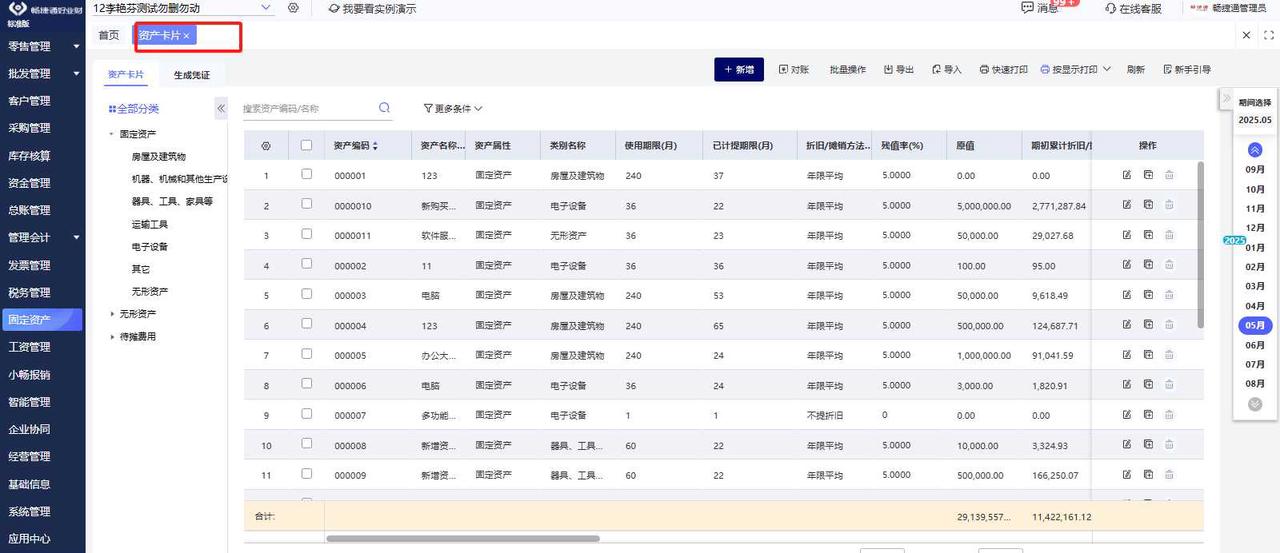
Fixed Asset Tracking Across Lifecycle
Complete asset cards recorded each item's detail from purchase to disposal. The system computed depreciation by the set method and generated the matching voucher automatically. Asset depreciation ran without a year-end scramble.
Payroll Linked HR and Finance
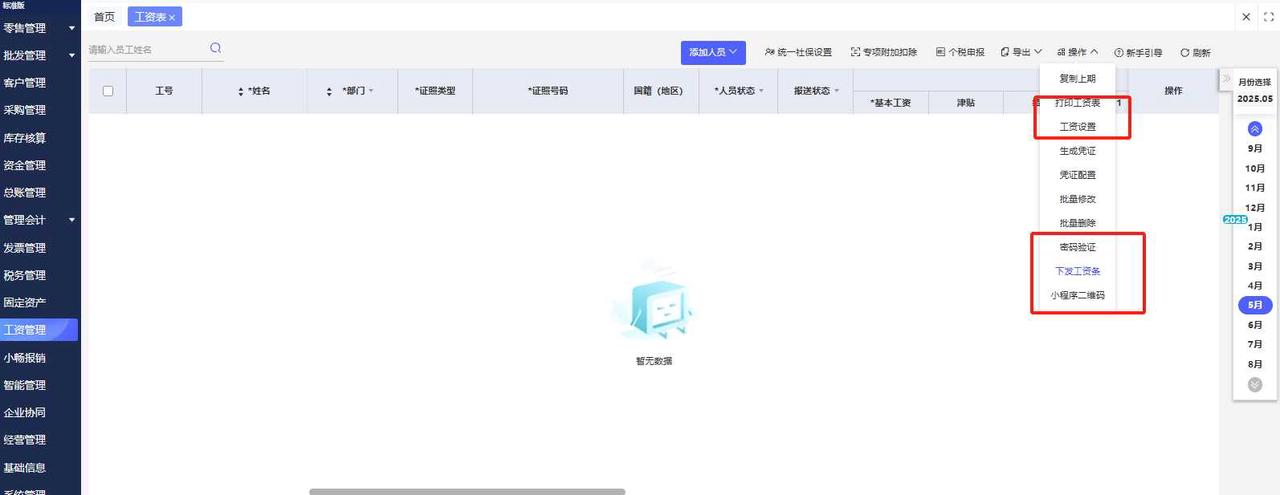
Excel templates imported wage data quickly, and the system computed social insurance and personal tax, generated payslips, and supported electronic payment. Payroll tax computed itself and paid electronically.
Multilingual Support Eased Localization
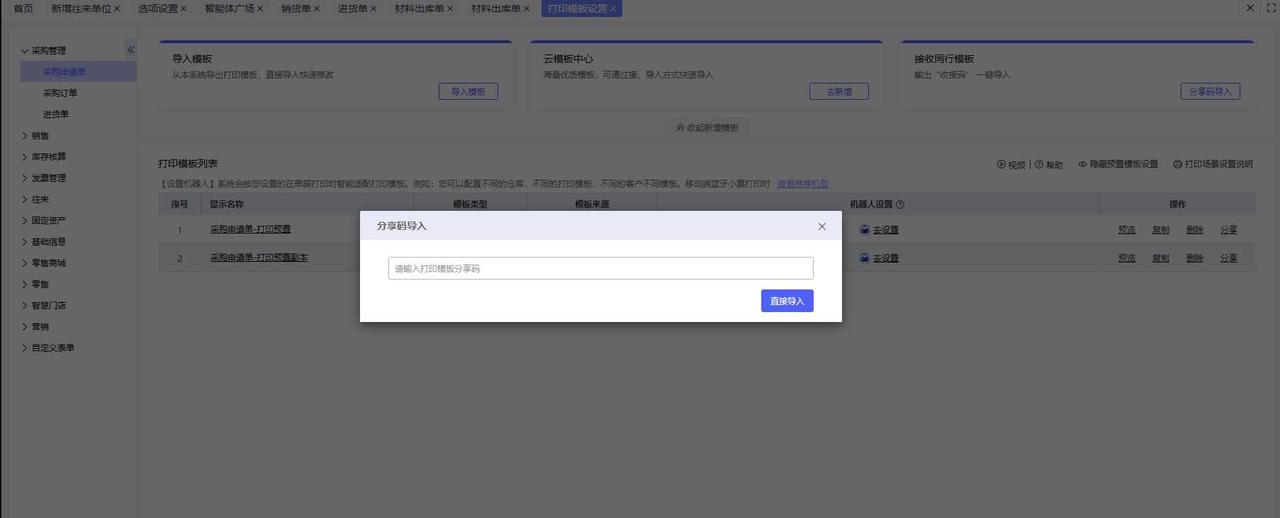
The interface switched among Chinese, Russian, and English for the cross-border team. Print templates could be customized in Russian, and item files carried Chinese names with Russian aliases. Russian-language prints kept local inspectors comfortable.
Measurable Results
The outcome was a lean finance function that punched above its headcount. The outcomes below capture it.
Lower Cost Through Higher Efficiency
Auto voucher generation removed the need for a dedicated voucher maker, saving one finance role. The local accountant handled only filing and banking, cutting staffing needs and labor cost while raising finance efficiency. One finance role was freed from the headcount plan.
Accurate Costing Improved Decisions
Multi-dimensional gross profit by order, customer, and item with auto-allocated expenses lifted costing accuracy. Management sees each product's and customer's true profit, guiding pricing and account strategy. Pricing and account strategy gained a real profit basis.
Efficient Reconciliation Controlled Cash
Receivable detail and customer statements replaced manual logs, solving multi-client aging. Finance produced statements fast, tracked receivables, controlled risk, and lifted collection. Collections improved because statements were instant.
Conclusion
By deploying this ERP suite, the Uzbekistan window maker built an automated, international, integrated finance platform despite a thin team. It now has strong digital support for steady growth and expansion in the local market.
Related reading
Solving Apparel Wholesale Pain Points with Online Selection and Smart Warehousing
An apparel wholesaler cut order-entry time, reduced churn, and tamed multi-warehouse picking with a cloud ERP. Online selection and attribute cataloging streamlined the flow.
Read guide →Customer Case StudyAustralia Frozen Meat Processor: Accurate Costing for Whole-Chicken Cutting
How a Melbourne frozen-meat processor used ERP barcode, BOM disassembly and batch control to cut receiving time and cost every chicken part precisely.
Read guide →Customer Case StudyHow a Beijing IC Company Achieved Finance–Operations Integration for Precision Management
A Beijing integrated-circuit maker unified purchasing, outsourcing, kit sales, and accounting in one ERP, automating cost allocation and cutting month-end close effort.
Read guide →